In this post I will be going over the Radius configuration. A lot of it mirrors the Tacacs+ configuration. I will not go through server configuration. I only did that for Tacacs+ because of the limited options available. Radius has multiple options available, Windows Server NPS, Freeradius etc. Couple of key differences:
- Radius uses UDP port 1812 for Authentication & Authorization.
UDP port 1813 for Accounting.
- Supports EAP for 802.1x authentication
- Cannot be used to authorize which cli commands can be executed or account cli commands
First things first.
– aaa new-model check list:
– enable secret <string>
– username algorithm-type < sha254 or scrypt> secret <string>
– crypto key generate rsa
Router(config)#aaa new-model
Router(config)#radius server RAD
Router(config-radius-server)# address ipv4 192.168.2.7 auth-port 1812 acct-port 1813
Router(config-radius-server)#key 0 <key>
Router(config)#aaa group server radius RADIUSMETHOD
Router(config-sg-radius)#server name RAD
Router(config-sg-radius)#ip radius source-interface g0/1
Router(config-sg-radius)#exit
Router(config)#aaa authentication login default group radius local
Router(config)#aaa accounting network default start-stop group radius
Router(config)#aaa accounting system default start-stop group radius

The configuration is simple enough. A few things to discuss. For command authorization you have two options, Tacacs+ server or local configuration. The Tacacs+ server option is less of an administrative burden. The local option has plenty of documentation. I will leave links at the bottom of this post. Privilege levels can be assigned to users and enable passwords. In the case of Radius defining the user privilege dictates which exec mode they are greeted with when authenticated. It’s still extremely useful authentication server. It can be used with 802.11 as well as 802.1x.
Just like with the Tacacs+ configuration we want to make sure we define the server before attempting to add it to a group. Making sure the ports match on the server and the device. Here is a sample config of local command authorization.

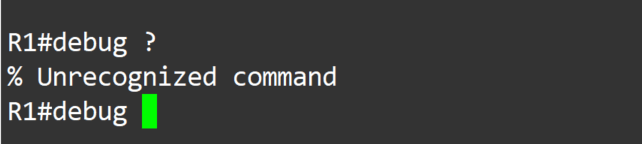
The debug command was not explicitly permitted, so it is not able to be used at privilege level 7. It’s a nice back up in case servers are unreachable, but I wouldn’t want local to be my only option.
Thank you for your time
-Notes
- Use debug commands to assist troubleshooting configuration:
Debug aaa authentication
Debug aaa accounting
Debug radius accounting
Debug radius authentication
- Use the test command to verify server functionality:
test aaa group radius server name <defined server> <username> <password> new-code
- aaa authentication enable default <method1> < method2>
^– Can be used to validate enable password by specified methods. Otherwise, it will use the locally defined password
Links:
https://community.cisco.com/t5/switching/enable-secret-level-password-command/td-p/1336399
https://wiki.freeradius.org/guide/Basic-configuration-HOWTO#define-a-user-and-password
https://community.cisco.com/t5/network-access-control/aaa-radius-and-privilege-levels/td-p/1683151
 Tech-Lee Blog